
Over 70k Followers, You’re OUT if You Haven’t Used It for AI
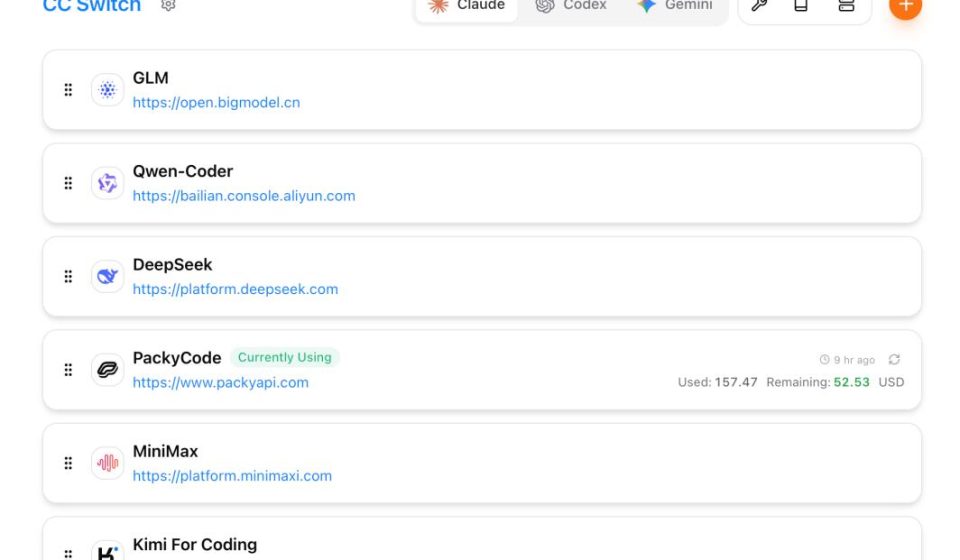
9 months, over 70,000 followers. That growth rate is quite impressive in the open-source world. It’s a cross-platform desktop application that unifies API provider configuration management for 6 AI programming tools. Anyone playing with large language models should know about CC Switch.
Why use it? Initially, I was using several AI programming tools myself, and switching providers meant manually editing config files.
- 01 For Claude Code, you needed to modify
~/.claude/settings.json. - 02 For Codex, it was
~/.codex/config.toml. - 03 For Gemini CLI, an
.envfile.
Different formats, different paths. Several times, changes didn’t take effect, requiring constant checking and adjusting—really a hassle. CC Switch brings all of this under one interface for unified management.
Personally, I use its system tray quick-switch feature the most. When coding and wanting to test with a different provider, just click in the system tray. No need to switch back to the main app window.
The features you want are all there.
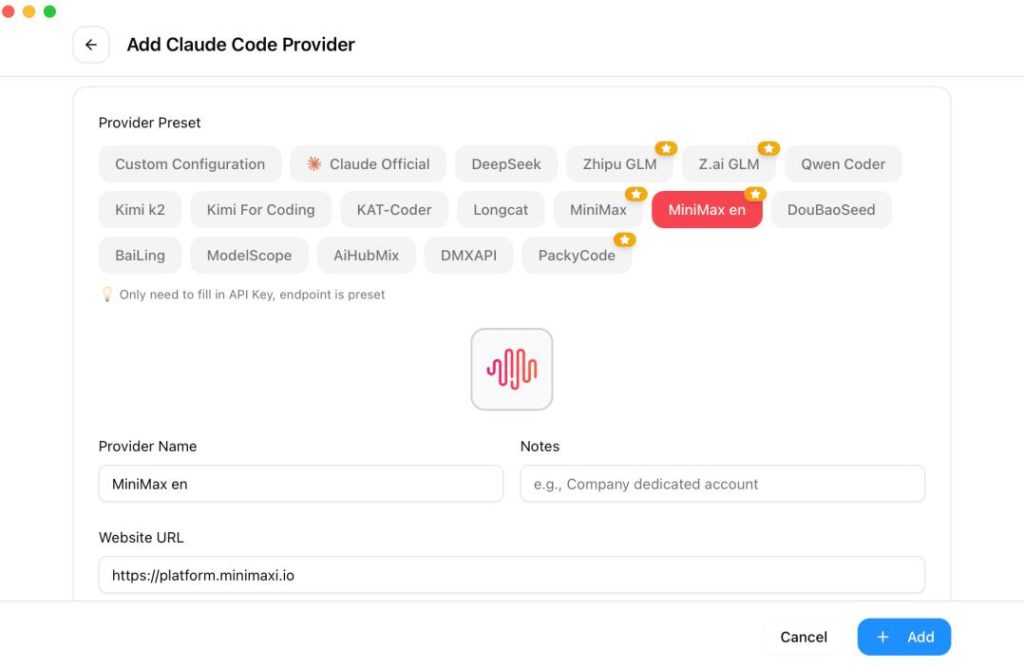
- 01 One-Click Provider Switching. Like DeepSeek, Zhipu GLM, Kimi, OpenRouter, MiniMax, etc. Just add your API Key. It integrates presets for 50 providers with fixed parameters, so you don’t have to write configurations manually.
- 02 System Tray Quick Switch. Need to temporarily change models? Just click the CC Switch icon in the system tray (bottom-right), select your model, and it switches.
- 03 Local Proxy to Intercept Requests. When enabled, CC-Switch starts a small local server on your computer. It intercepts API requests from your CLI tools, allowing you to switch providers without restarting the terminal. Tools like Claude Code / Codex / OpenClaw no longer connect directly to the model’s official site. They first send requests to the CC-Switch local proxy, which then forwards them to your chosen model provider. This has many benefits:
- After enabling the local proxy, a click in CC-Switch changes the model; Claude Code takes effect immediately—no file editing or restarting.
- Various code tools share this one proxy; configure once, all can use it.
- All call data is visible; request status is clear.
- If the main model fails or gets rate-limited, it automatically switches to a backup, preventing development interruption.
- It automatically adapts formats for various mainstream LLMs, allowing seamless, direct use.
- 04 Automatic Failover. When coding, the worst fear is the main API going down or being rate-limited, directly breaking your flow. You can pre-set a primary and backup provider. If the primary fails, the system automatically switches to the backup—no manual intervention needed.
- 05 Circuit Breaker Mechanism. If a provider repeatedly has issues, it’s automatically isolated to prevent sending requests to a broken node.
Beyond core configuration, CC Switch has some nice detail features.
- MCP, Skills, Prompts Unified Management. If you’ve used Claude Code, you likely know about MCP. Simply put, it’s an extension protocol that lets Claude Code connect to various external tools and data sources. If Claude Code and Codex use the same MCP, and each MCP config is in a different location, you have to configure both—a hassle. Using CC Switch’s MCP management panel, you configure once, and it automatically syncs to each tool.
- Skills Management. Excellent skills management. It automatically searches for popular skills on GitHub; click to install.
- Backup & Restore Mechanism. Automatically keeps historical versions. One-click backup/restore, so you’re not afraid of messing up configs. Multi-device sync becomes easier.
- Speed Test to Choose the Best Node. If you suspect a node is problematic, you can manually test it. It can also automatically test latency and packet loss for each node, selecting the best one.
- Usage Tracking. Want to see request counts, token consumption, cache hit rates per provider? Check the usage statistics. Clearly see cost distribution per provider. It also supports custom model pricing if you use that.
- Size Reduced by 85%. For performance, the new version uses Tauri 2.0. The installer size dropped from ~80MB to ~12MB, and startup speed improved.
After seeing these features, I’m sure you’re eager to try it. Official downloads are available for Windows, macOS, and Linux. For Windows, download the .msi file.
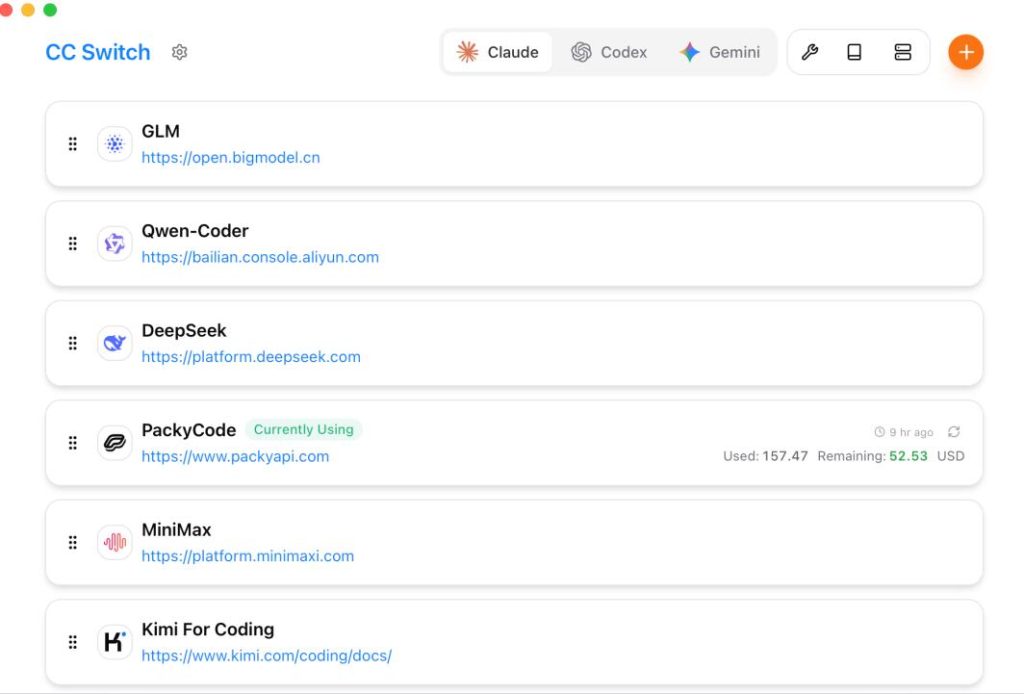
After installation, click the shortcut icon. The interface is very simple upon opening:
The tool comes with built-in presets for common mainstream providers like DeepSeek, Kimi, Zhipu, MiniMax, etc. If you want to use a third-party provider, take DeepSeek as an example: Click the “+” (Add Provider) in the top right to enter the configuration page.
This is the most crucial step. Select the corresponding preset provider according to your needs and fill in the configuration information as per the table below:
[Image placeholder: A table showing configuration fields like API Key, Model Name, etc.]
The configuration is actually quite simple. Mainly paste your API Key and select a model name. The rest is mostly pre-configured, and defaults are usually fine.
After configuration, click Save. It’s now configured.
[Image placeholder: Screenshot showing the configured provider, e.g., DeepSeek, as active/default.]
In Claude Code, DeepSeek is now the default provider—very convenient.
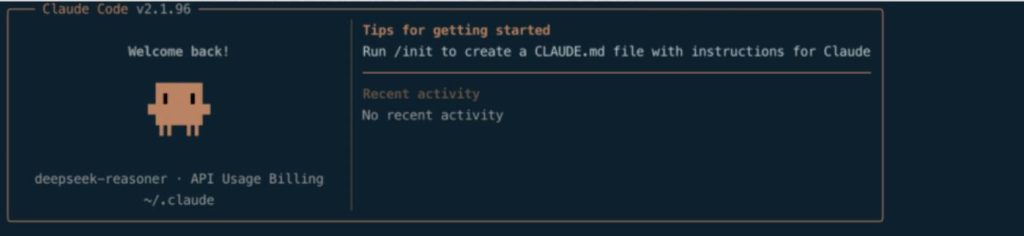
After configuration, test the connection. Open a command line terminal and enter the following command to start Claude Code:
bashbashclaude
From now on, whenever you want to use a different model, simply click on the main interface or open the CC-Switch tray icon and select the corresponding model provider to switch.
[Image placeholder: Screenshot of the system tray menu showing model options like DeepSeek, GPT-4, Claude, etc.]
A couple of limitations I should mention upfront:
Currently, it supports the following 6 Agent programming tools. If you use tools like Aider, Cursor, etc., it’s not supported yet.
Final Thoughts
After installing CC Switch, I’ve noticed I switch providers much more frequently—because it’s so convenient. If you haven’t used it, give it a try. If you have, share your experience in the comments.
The project is open-source under the MIT license. Interested friends can check the source code and documentation in the GitHub repository.
Open Source Address: https://github.com/farion1231/cc-switch