
Someone Finally Made Docker Management Simple
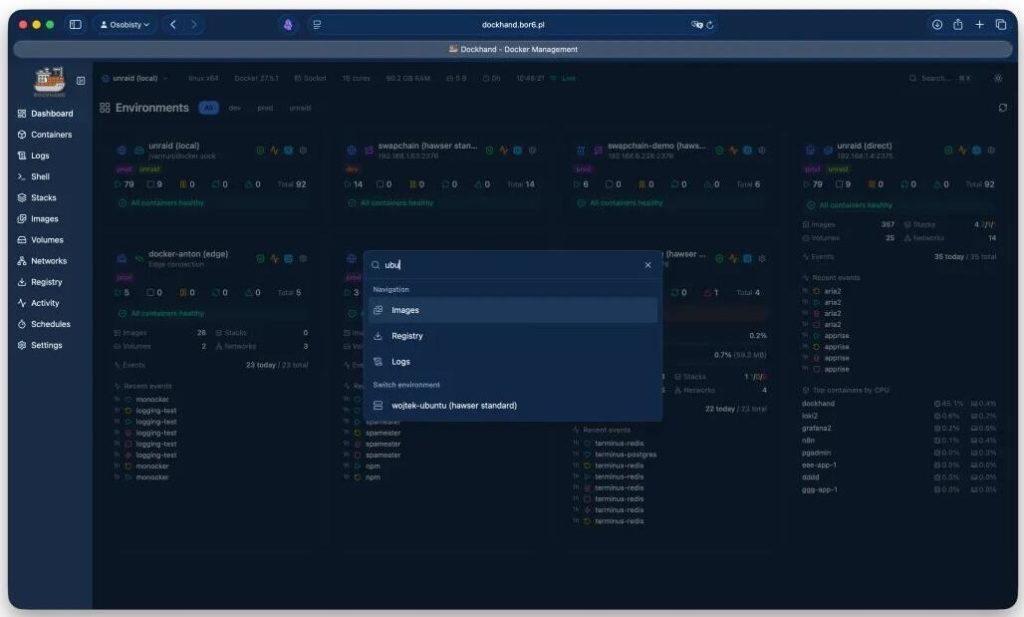
In just 5 months, it has racked up 4,400 stars. A new contender has emerged in the Docker management arena—Dockhand. From what I can see, it focuses on one thing: making Docker container management simpler. But it does more than just manage.
You can graphically edit Compose projects directly, without constantly tweaking YAML files. With multiple servers, it helps you manage remote machines uniformly. It hasn’t skimped on security and operations either—image vulnerabilities can be scanned, updates can be automated, and rollbacks are available if things go wrong. Even authentication is hassle-free; OIDC and SSO are built-in and completely free.
Tools like Watchtower, Dozzle, and Diun that you used to install separately can now all be handled from one interface. Its positioning is that of a modern Docker management platform and a formidable rival to Portainer.
Why should you care about this Dashboard?
It takes features that Portainer locked behind a paywall and offers them for free. This is arguably the most surprising part. By the end of 2025, Portainer had locked OIDC/SSO and RBAC into its paid tiers. The community exploded—many people used Portainer specifically for self-hosting, but suddenly they had to pay tens of euros annually just to get SSO.
Dockhand does the opposite: it offers OIDC/SSO for free, reserving only RBAC and LDAP/AD for the Enterprise edition. If you want to add SSO to your self-hosted environment, Dockhand costs nothing.
Authentication Settings
Beyond friendly authentication policies, it connects the entire Docker management chain:
01. Container Lifecycle Management.
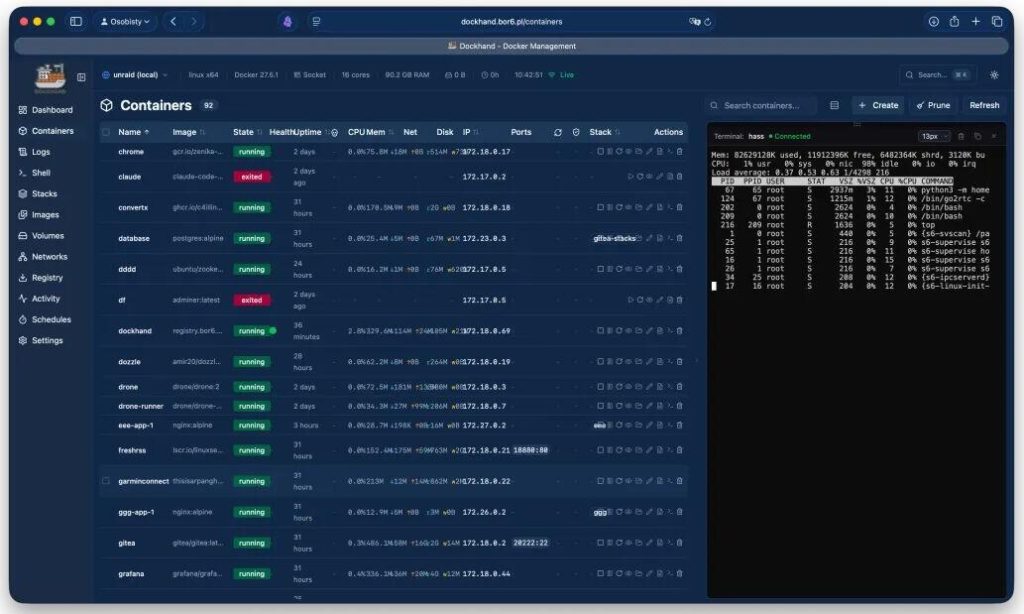
Start, stop, restart, delete—all with one click from the UI, including batch operations. To view logs, just click in and see the real-time stream; ANSI color rendering works perfectly, so you don’t need to run Dozzle separately. If you need to debug inside a container, open a terminal directly in the web UI; no SSH required.
Containers View
02. Visual Editing for Compose Stacks.
It features a visual editor. If your YAML is wrong, it highlights the error immediately instead of just returning a vague “Deployment failed” message. Crucially, it supports pulling stacks directly from Git repositories. Configure a webhook, and every push can trigger an automatic deployment. I personally love this. Previously, achieving GitOps-style deployments meant writing scripts or deploying heavy tools like ArgoCD. Dockhand integrates this capability into a single interface, requiring minimal extra setup.
Stacks Editor
03. Image Vulnerability Scanning.
It has built-in scanners using Grype and Trivy. I remember struggling with third-party tools for compliance scans. Now, you just click a button and get results instantly, filterable by severity. Scan results are cached by the image’s SHA256 hash, so it doesn’t rescan from scratch every time.
Images View
04. Automated Updates with Rollback Protection.
It supports scheduling container updates, but not just a crude “pull a new image.” Before updating, it can scan for vulnerabilities. If the new image has morevulnerabilities than the old one, it can automatically block the update. A rollback protection mechanism acts as a safety net if something goes wrong during the update. Many still use Watchtower for updates, but it lacks vulnerability checks and rollbacks. The author clearly saw this pain point and built a complete solution into Dockhand.
Schedules
05. Remote Management via Hawser Agent.
It includes an agent called Hawser. This design is clever: the agent only initiates outbound WebSocket connections. You don’t need to open firewall ports or expose the Docker socket. For servers behind NAT with dynamic IPs, this is far more secure than exposing a TCP port.
Networks
After covering the core features, let’s talk about the small details that make it pleasant to use:
- Fast UI: Built with Svelte 5, it feels much snappier than tools on older frameworks.
- Themes: Light and Dark modes are available.
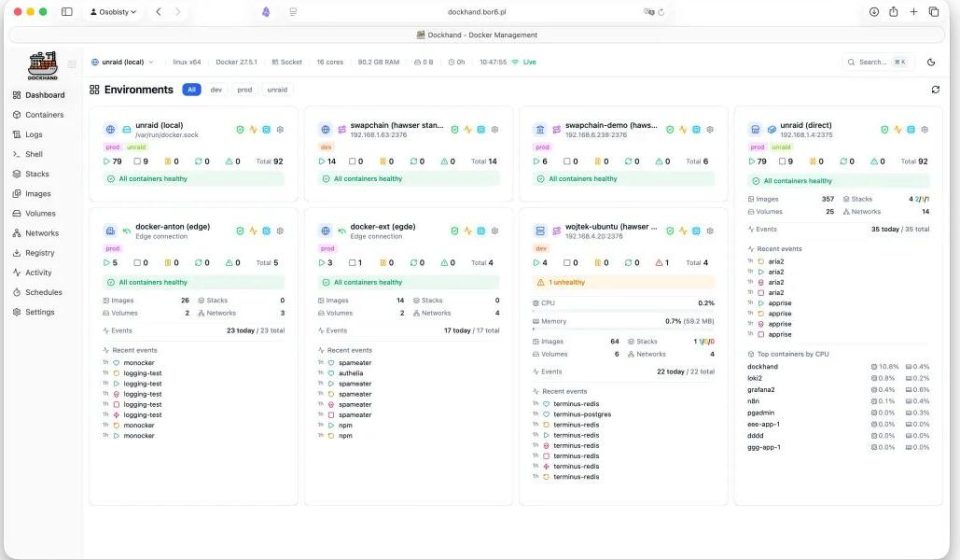
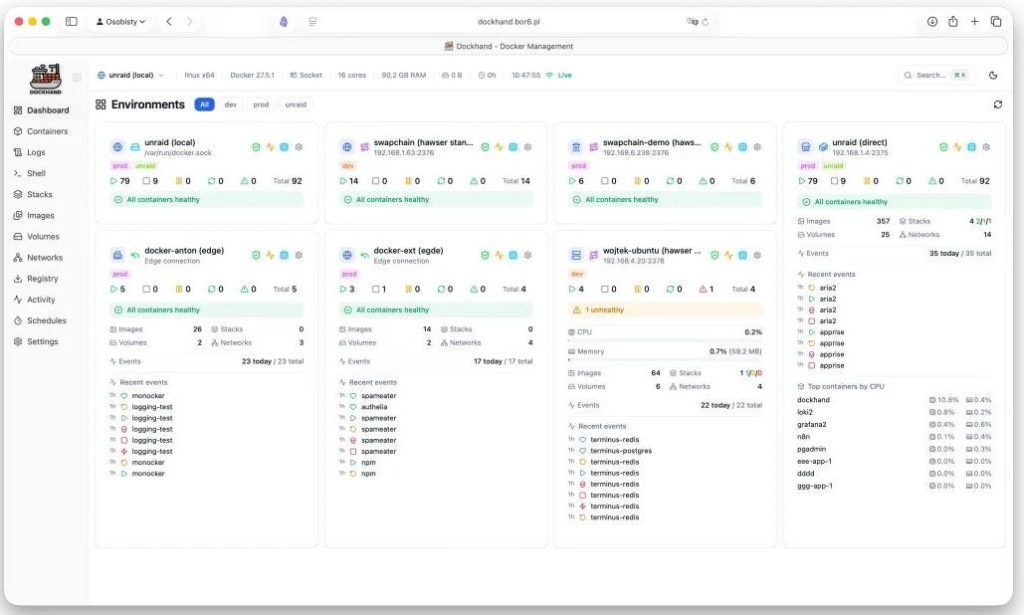
- Customizable Dashboard: You can resize the dashboard tiles and drag them to monitor container states in your preferred layout.
Dashboard Light / Dashboard Dark
- Wolfi Hardened Images: It builds its own OS layer from scratch. Every package is explicitly declared in the Dockerfile.
- Zero Telemetry: It does not send your data anywhere without consent.
Security Settings
- Notification Framework: Supports SMTP email and integrates with Apprise, connecting to over 50 services like Discord, Slack, Telegram, ntfy, Gotify, and Pushover. You can get notifications for container starts/stops, failed updates, and new vulnerabilities.
Activity Log
How hard is it to deploy?
It’s incredibly simple. Just one command:
bashbashdocker run -d --name dockhand --restart unless-stopped \
  -p 3000:3000 \
  -v /var/run/docker.sock:/var/run/docker.sock \
  -v dockhand_data:/app/data \
  fnsys/dockhand:latest
Visit localhost:3000in your browser, and you’re set. One small caveat: it doesn’t run as root by default, so you might need to adjust Docker socket permissions. The quickest fix is adding --user 0:0to run as root, or use --group-addto add the Docker group GID.
Are there downsides?
It’s not perfect. Currently, it only supports Docker and Compose; Kubernetes and Swarm are not supported, where Portainer is more comprehensive. Also, enterprise features like RBAC require a paid license, though the barrier is lower than Portainer’s—especially since OIDC/SSO is free.
Licensing:
It currently uses the BSL 1.1 license. It’s free for personal, internal commercial, non-profit, and educational use, but you cannot repackage it as a paid SaaS. On January 1, 2029, it will automatically convert to Apache 2.0 and become fully open source.
If you just want to manage Docker without the complexity of K8s, Dockhand is more than sufficient.
Terminal & Logs
Final Thoughts
I worked in ops and used Docker extensively. I started with CLI commands, then switched to Portainer for its free GUI, which I was happy with for years. But after trying Dockhand, I found it to be even better. The next generation really has surpassed the last. If you work with Docker regularly, give it a shot.
Share in the comments how you use Docker! The project is under the BSL 1.1 license. Check out the source code and docs on GitHub.
Open Source Address: https://github.com/Finsys/dockhand