Another AI Modeling Tool That Looks Much More Realistic
Remember those cell structure diagrams from high school biology textbooks? Mitochondria, endoplasmic reticulum, Golgi apparatus… Back then, we only had flat illustrations and had to imagine how they looked in three-dimensional space. If you’ve ever done scientific presentations or written biology papers in college, you’ve probably faced a similar problem: needing a high-quality 3D cell structure image but having no ready-made resources. The images you find online are mostly outdated or blurry and unusable.
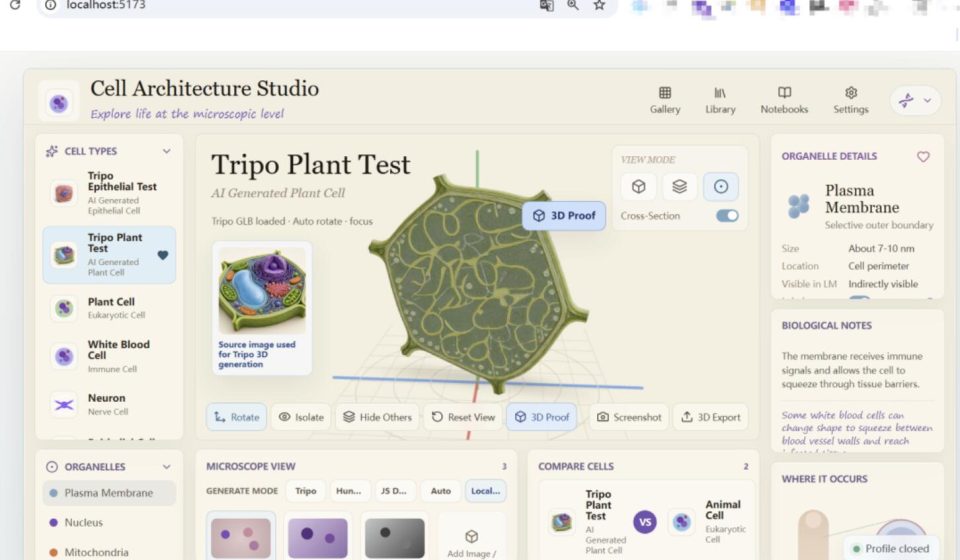
Recently, I discovered a project on GitHub that uses AI to generate realistic 3D cell models. In a nutshell: 3DCellForge is a web-based 3D cell generator. You can upload images and create interactive 3D models that can be rotated, zoomed, and viewed at the organelle level—and they’re exportable. The project already has over 1,500 stars.
It comes with 5 built-in cell type templates, each with impressive results.
01 Starting with the most basic plant cell
This is the most basic eukaryotic cell template. You can clearly see typical structures like the cell membrane, nucleus, and mitochondria.
Plant cell model showing typical eukaryotic cell structures
02 Beyond basic structures, let’s look at cells with special functions
For example, white blood cells, as an immune cell template, clearly show the distribution of organelles related to immunity, such as lysosomes.
White blood cell model showing structural features of immune cells
03 Neurons
These are nerve cells responsible for transmitting signals, and their structures are quite distinctive.
Neuron model showing structural features of nerve cells
04 Pre-made templates are great, but how about AI-generated models?
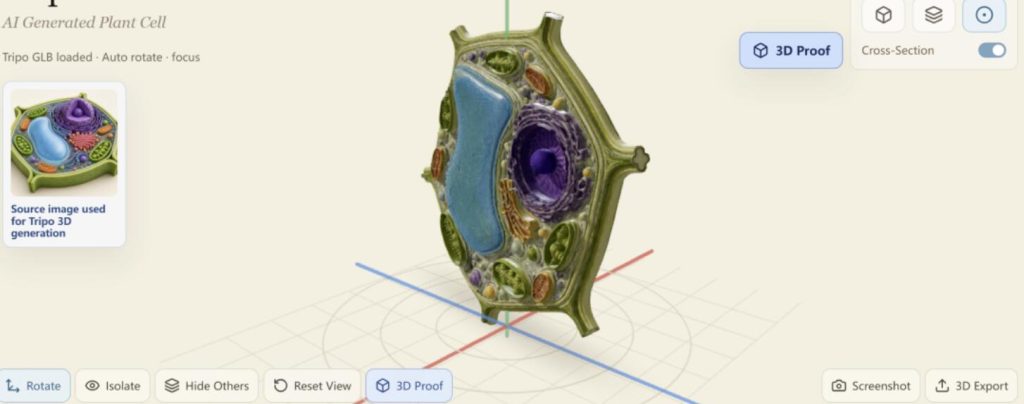
First, using Tripo AI, I generated a plant cell model. The structural details are clear, demonstrating the generative capabilities of AI.
Plant cell model generated by Tripo AI
05 Another Tripo-generated model: epithelial cells
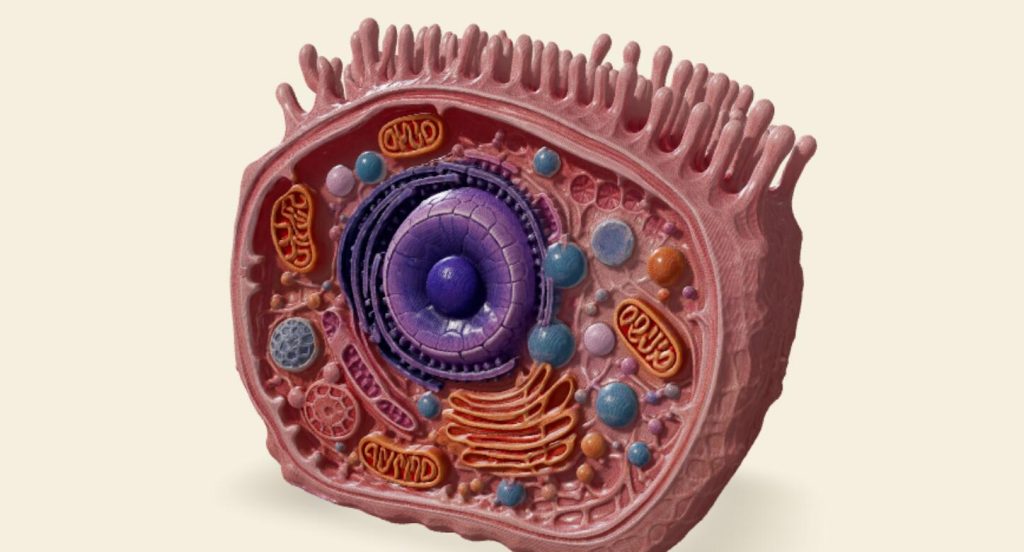
Epithelial cells cover the body’s surface and line internal cavities. The results are remarkably realistic.
Epithelial cell model generated by Tripo AI
What if the built-in templates aren’t enough? Try uploading your own images to create 3D models!
Currently, 3DCellForge supports three model configuration methods:
- Tripo: Cloud-based model generation with the highest modeling precision. Requires a dedicated API key.
- Hunyuan3D: Supports local private deployment, ideal for scenarios where data privacy is a concern and cloud uploads are not preferred.
- JS Depth: Runs directly in the browser with no additional installation or deployment needed. Although slightly less precise, it works entirely offline without an internet connection.
- Auto Smart Mode: Automatically switches between methods, prioritizing Tripo first, then falling back to Hunyuan3D if issues arise, and finally using JS Depth as a last resort.
Choose the method that best suits your needs. I ran it locally, and the four supporting features are quite practical:
01 Section Mode
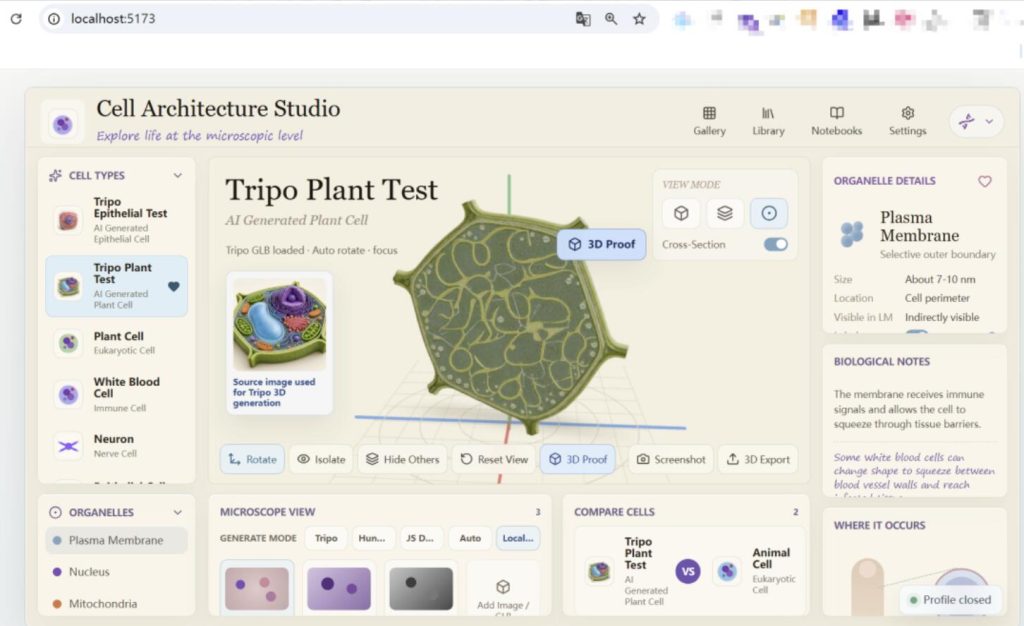
Like a CT scan, it cuts open the cell so you can see its internal structures directly—how mitochondria are distributed, the positional relationship between the endoplasmic reticulum and ribosomes, etc. This is incredibly convenient for learning cell structures.
02 Microscope Simulation
The system can generate effects with different stains, fluorescence, and grayscale modes, allowing direct comparison with real microscopic images. During teaching demonstrations, students can simultaneously see what the cell looks like under a microscope and its 3D model structure, making it much easier to understand.
03 Cell Comparison
You can place two cells side by side to compare their structural differences at a glance. For example, the structural differences between plant and animal cells are immediately apparent.
04 Layer System
Click on any part of the model, and the corresponding biological information—size, location, function descriptions—will pop up on the right. For presentations, this interactive display is much more convincing than static images.
05 Export Function
Models can be exported in GLB format and directly imported into Blender or Unity for further editing.

How to Get Started
Given how impressive the results are, I’m sure you’re eager to try it out. Here’s how:
- Use Git to clone the code to your computer: bashbash
git clone https://github.com/huangserva/3DCellForge cd 3DCellForge - Install dependencies with npm and run the development server: bashbash
npm install npm run dev - If no errors occur, open your browser and navigate to
http://localhost:5173. The project comes with demo GLB models, so you’ll see the results immediately after the page loads. - To use Tripo for cloud-based generation, configure the
TRIPO_API_KEYin the server’s.env.localfile. - For local generation, deploy the Hunyuan3D API server.
Some Limitations to Note
To be honest, the project is still in the prototype stage and has some rough edges. For example, configuring API keys or deploying a local server can be a barrier for non-technical users. Also, the project currently only supports cell-related models and lacks other model types, so it’s not very versatile.
However, 3DCellForge’s approach is worth learning. Someone on X used this framework to create a showcase webpage for the F-22, F-35, Starship, and Raptor engines, and the results were stunning.
3D showcase of the F-22 fighter jet
Final Thoughts
AI-generated 3D modeling technology has advanced rapidly in recent years. Tools like Tripo and Hunyuan3D are delivering better results and becoming easier to use. 3DCellForge is a practical tool riding this technological wave—turning cell modeling from something that required learning Blender into something you can do by simply opening a webpage.
If you happen to need 3D visualizations related to cells, give it a try. The project is open-source under the MIT license. If you’re interested, check out the source code and documentation on GitHub.
GitHub Repository: