2.8K Stars, Zero Dependencies — A Complete AI-Powered Office Suite
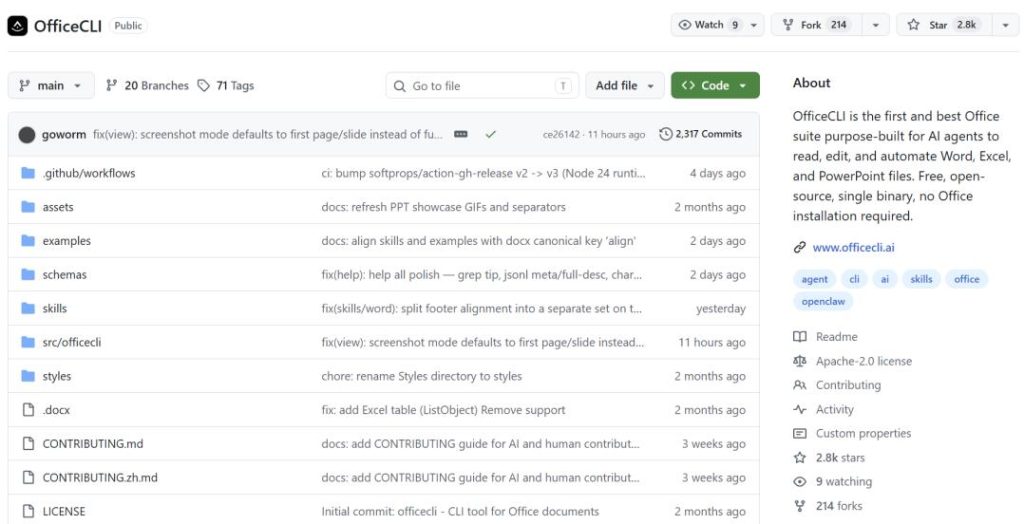
In just over a month, this project has gained over 2,800 stars and gone viral.
AI Agent office automation is one of the hottest trends this year, with Microsoft and OpenAI pushing their own solutions. But most solutions are either cloud‑locked, closed‑source and paid, or limited in functionality. Recently, I came across an open‑source project called OfficeCLI that looks incredibly useful.
Zero dependencies, runs as a single binary file, and enables any AI Agent to fully control Word, Excel, and PowerPoint with just one line of command.
In a nutshell: OfficeCLI is a command‑line tool built specifically for AI Agents, making it easy to read, write, and modify Word, Excel, and PowerPoint files. The biggest difference from traditional Python libraries is that it’s designed from the ground up for AI Agents. No need to install Office, no .NET runtime, no fussing with XML namespaces—just download a binary and run it. It supports macOS, Linux, and Windows, truly plug‑and‑play.
Agents don’t need to learn three different APIs; they only need to understand one unified path syntax. For example, to modify the text of the first shape on the first slide, the command is:
bashbashofficecli set deck.pptx '/slide[1]/shape[1]' --prop text="Hello"
All commands support --jsonoutput, returning structured data that Agents can use directly—no more regex parsing.
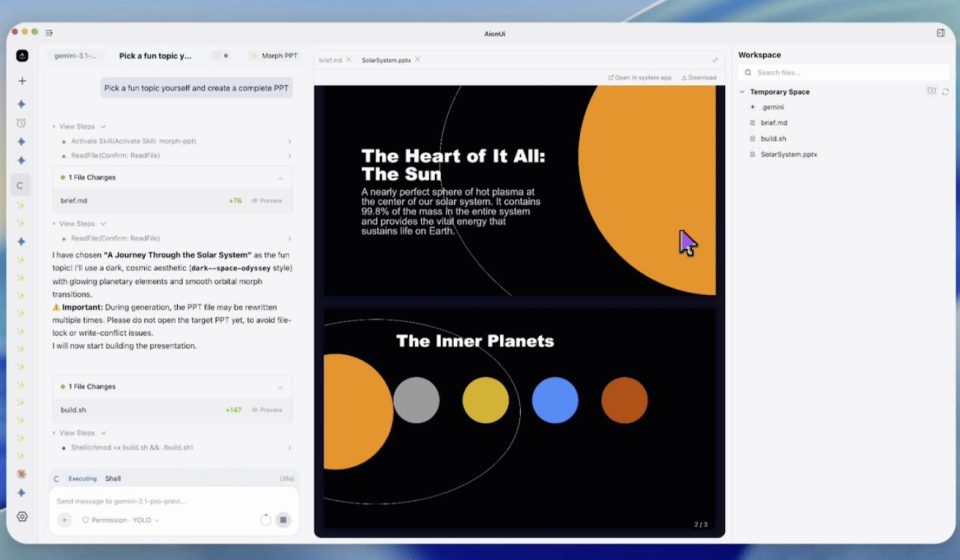
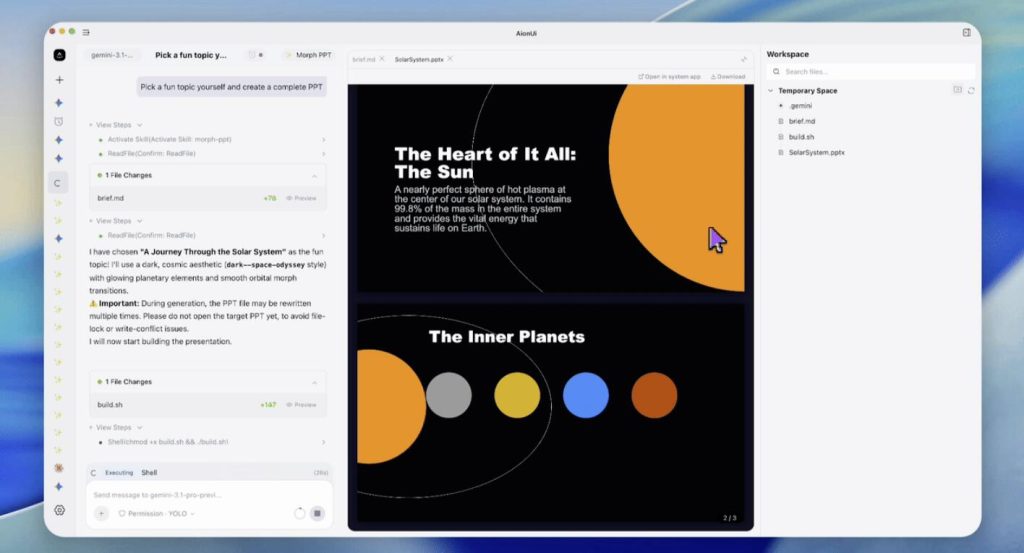
When I saw this demo, I was quite impressed: the entire PPT creation process is completely driven by the AI Agent, with no human intervention:
Let’s look at what it can actually do.
- Word: Supports paragraphs, tables, headers/footers, watermarks, table of contents, formulas, form fields, and full internationalization support, including right‑to‑left text layout. The generated Word documents look quite good.
- Excel: Supports cells, formulas (150+ built‑in functions with automatic evaluation), pivot tables, charts, conditional formatting, and CSV import. I tested Excel extensively, and the formula support is indeed comprehensive. The 150+ built‑in functions are all auto‑evaluated, which should be very useful for data analysis tasks.
- PowerPoint: Supports slides, shapes, charts, 3D models, animations, and Morph transition effects. The project also includes some space‑themed PPT examples, and they do look pretty cool:
All of these are generated by AI Agents via OfficeCLI, without any templates or manual editing.
One feature I really like is real‑time preview. Start a local server with the watchcommand, and you can see document changes in real‑time in your browser. Every modification triggers an automatic refresh, which is especially convenient for debugging and iteration. The Excel preview even supports native‑style cell selection and drag‑and‑drop chart repositioning—I recorded a GIF:
While the feature coverage is quite complete, OfficeCLI’s biggest highlight is its seamless integration with AI Agents.
- For AI Agent integration, it has a built‑in MCP server. One command registers it with tools like Claude Code, Cursor, VS Code, and LM Studio: bashbash
officecli mcp claude - It also comes with 9 specialized skill packs, such as generating investor pitch decks, academic papers, financial models, and data dashboards. These skill packs are essentially pre‑configured workflow templates, allowing Agents to skip designing document structures from scratch.
Here are a few practical examples I picked:
- Academic paper with complex formula typesetting
- Sales dashboard with charts and conditional formatting
- Project proposal document with professional formatting
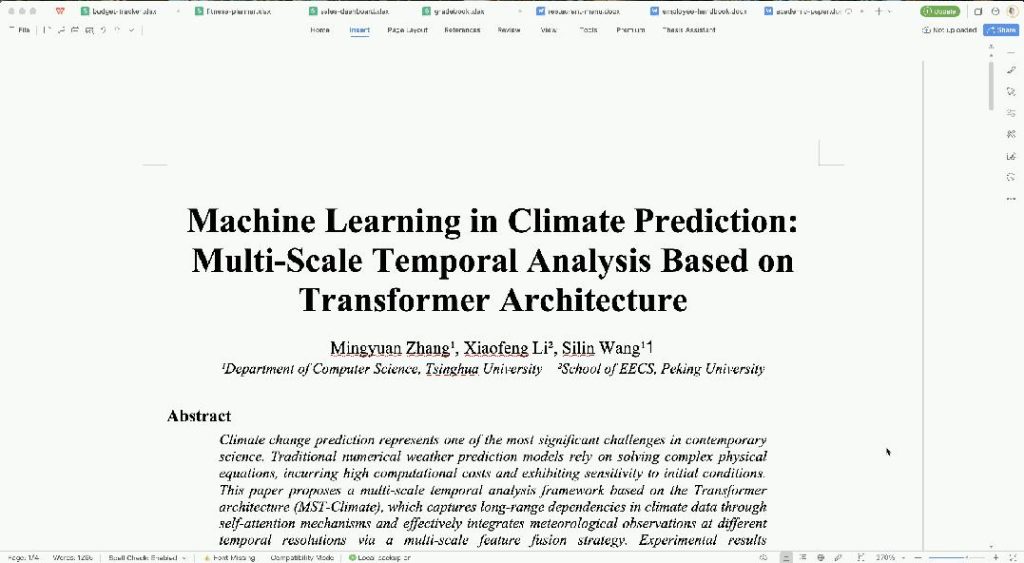
How to Deploy Your First OfficeCLI
After reading about the features, are you ready to try it? Here’s how to get started quickly.
- One‑line Installation macOS or Linux: bashbash
curl -fsSL https://raw.githubusercontent.com/iOfficeAI/OfficeCLI/main/install.sh | bashWindows (PowerShell): powershellpowershellirm https://raw.githubusercontent.com/iOfficeAI/OfficeCLI/main/install.ps1 | iex - Create Your First Document After installation, run directly from the command line: bashbash
officecli create deck.pptxA blank PPT is created. - Add Content bashbash
officecli add deck.pptx / --type slide --prop title="Hello, World!" - Real‑time Preview bashbash
officecli watch deck.pptxOpen your browser tohttp://localhost:26315to see the real‑time preview.
Once you’ve tried it, you might wonder about its design philosophy. It organizes operations into three layers:
- L1: Semantic View – Execute the
viewcommand to see the document outline, plain text, and issue list. - L2: DOM Element Operations – Use
get,set,add,remove, etc., to manipulate specific elements. - L3: Raw XML Layer – If L2 operations can’t meet your needs, use XPath to directly modify the underlying XML.
In short, simple commands are enough for most tasks; only when you really can’t get something done do you need to go down to the underlying layer.
A Few Things to Note
- The path syntax is not standard XPath and may take a little getting used to.
- Some particularly obscure Office features may require L3 raw XML layer operations.
- Community discussion and real user feedback are still limited; if you encounter issues, you may need to dig through documentation or GitHub issues yourself.
Final Thoughts
One line of command, no XML headaches, no need to learn three different APIs. I think this is what AI Agents truly need—not necessarily a smarter model, but a tool that’s easy to use. If you’re interested, I recommend spending half an hour trying it out.
The project is open‑source under the Apache‑2.0 license. If you’re interested, check out the source code and documentation on GitHub.
GitHub Repository: