Zellij: A Powerful and User-Friendly Terminal Multiplexer
The terminal multiplexer circle isn’t huge, but one project has gained over 32,000 stars. Considering tmux has dominated for over a decade, a new contender has emerged. It’s called Zellij, started in 2020, written in Rust. Its positioning is a “batteries-included terminal workspace.” In plain English: it’s ready to use out of the box; you can start working without fiddling with configuration.
To be honest, I’ve used tmux for a long time, and it’s indeed powerful. But there’s always been a nagging pain point: if you don’t use it for a while, you forget the shortcuts. You have to revisit the docs and relearn the prefix key logic every time. Discovering Zellij made me realize terminal multiplexers could be this convenient.
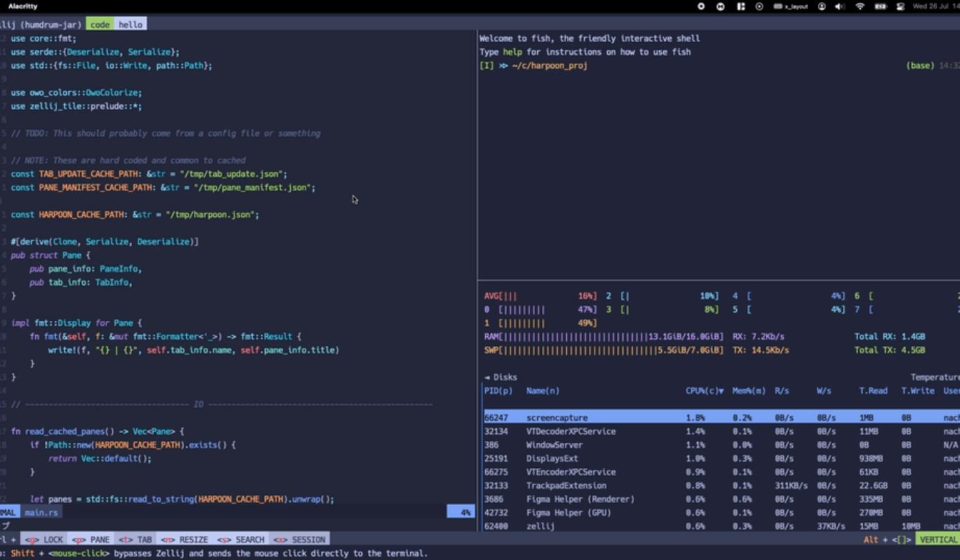
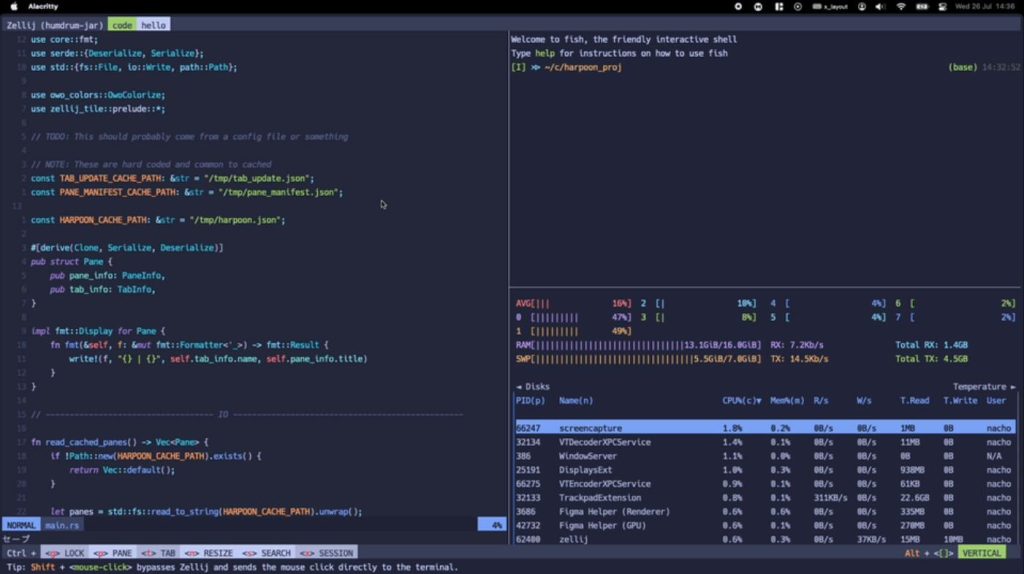
When started, the interface looks like this:
- A top tab bar shows sessions and tabs.
- A bottom status bar directly displays shortcut hints—want to split a pane? It says
Alt+n. Want to switch tabs?Ctrl+t. WYSIWYG, a beginner can get started in minutes.
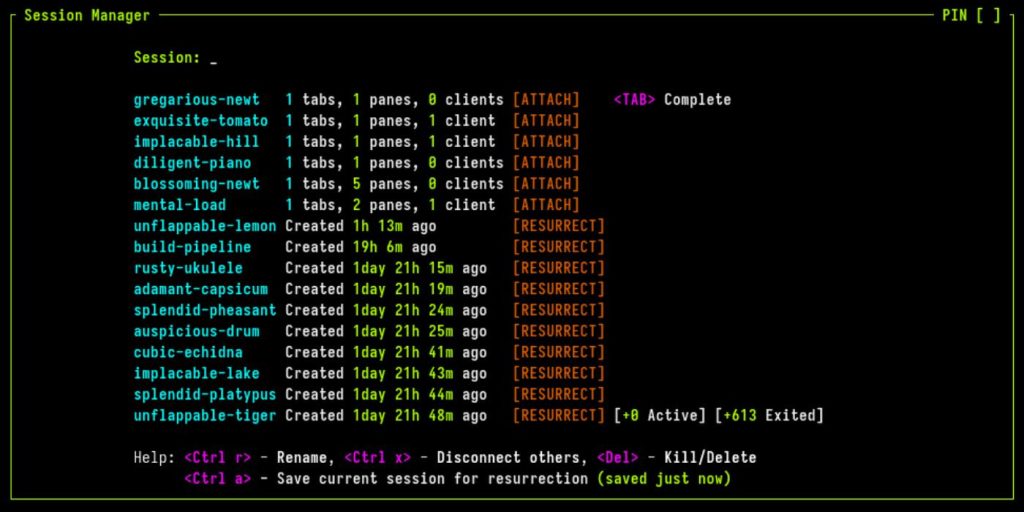
All core features are pre-configured.
01 Session Auto-Save. Close the terminal or reboot the system, and it automatically saves the session. By default, it saves the state to disk every 10 seconds. Next time you start, it reads that state, restoring your workspace to its last closed state.
02 Create Independent Sessions for Different Tasks. Many people often juggle multiple tasks simultaneously—like a session for frontend work and another for running tests. Want to check if tests are done? Press Ctrl+o+wto bring up the session manager, click, and you’re there. Sessions don’t interfere, and their states are preserved when you switch back.
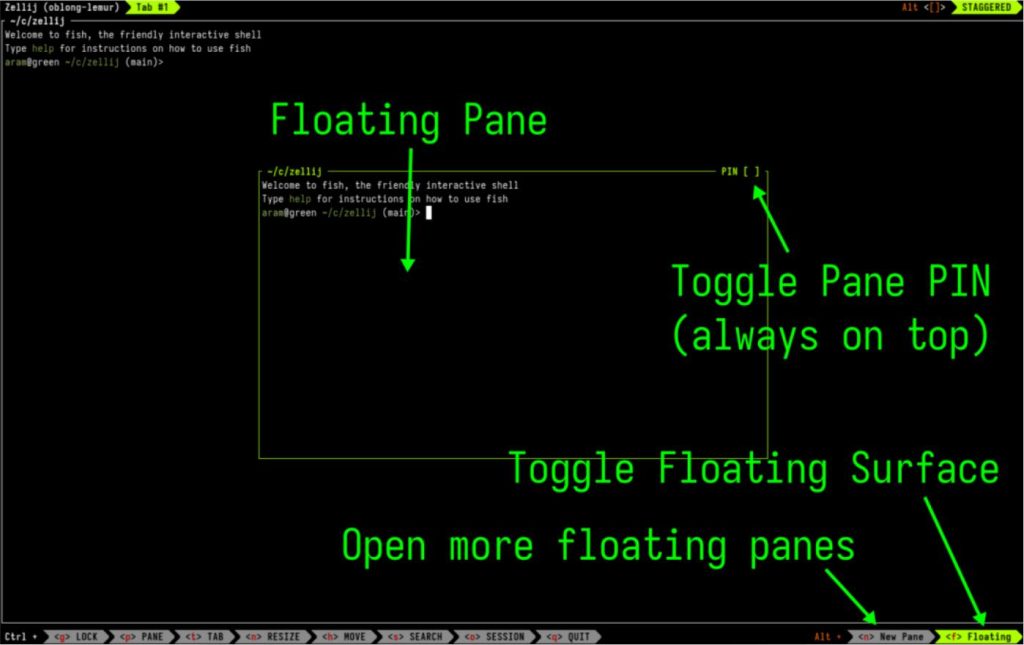
03 Floating Panes. Sometimes you don’t want to split the screen. A temporary floating pane solves this. Call it up when needed, close it when done, without interrupting normal work. Keyboard enthusiasts have shortcuts: Ctrl+p+eto pop a pane into a floating window, Ctrl+p+ito pin it on top.
04 Edit Scrollback Buffer: Something tmux Can’t Do. This might be the most envied feature for tmux users—directly editing the terminal’s scrollback buffer. Anyone who’s used a terminal knows that sometimes command output is long. To copy or search previous content, you have to clumsily scroll up with the mouse. tmux’s copy mode helps partially, but the experience isn’t great. Zellij’s approach: press Ctrl+s, then e. It opens the entire scrollback buffer of the current pane in your system’s default $EDITOR. You can search, copy, and edit like a normal text file. Close the editor to return to the terminal.
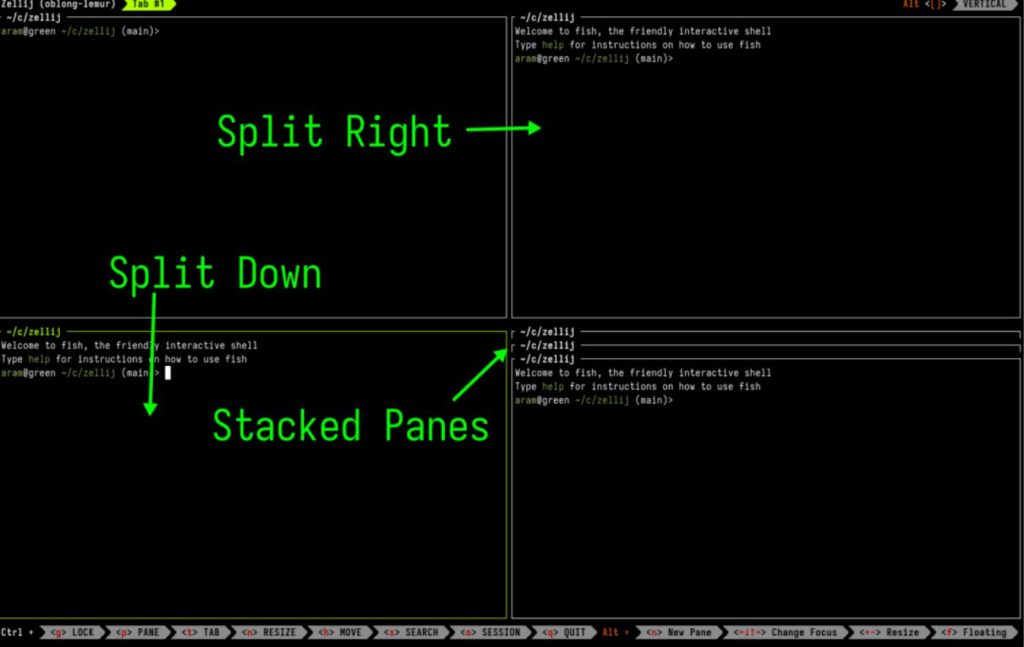
05 Stacked Panes: Multiple Panes Stacked Together. Stacked panes vertically stack multiple panes in the same spot, switchable with arrow keys. Monitor multiple processes simultaneously—run tests, watch logs, open an editor—all stacked, switch with up/down keys, without fragmenting the screen.
Pane resizing is also very intuitive: Alt++to enlarge the current pane by 30%, Alt--to shrink. Hold to resize continuously. No need to remember resize keybindings or manually input pixel values.
06 Collaboration: A Remote Pair Programming Gem. Multiple users connect to the same session simultaneously, each with an independent cursor, seeing the other’s operations in real-time. No suffering the lag of screen sharing; two people collaborate directly in the same terminal.
07 Browser-Accessible Terminal. Built-in web server allows direct browser access to terminal sessions. Note: Requires HTTPS configuration and authentication tokens.
08 Plugin System: Based on WebAssembly. Write plugins in any language that compiles to WASM. Rust has first-class SDK support. Zellij’s built-in session manager and file picker are plugins. .wasmfiles are distributed independently, not polluting the main program. Combined with the layout system, it can create an IDE-like experience—like the community striderlayout: file browser on the left, editor and command panes on the right.
09 Custom Layouts: One-Click Workspace Launch. A Rust development workspace might need: an editor on the left for src/main.rs, three panes on the right for cargo check, cargo run, cargo test. In tmux, you’d write a bunch of shell scripts. Zellij uses KDL (a declarative language) for layout files:
kdlkdllayout {
    pane split_direction="vertical" {
        pane edit="src/main.rs"
        pane {
            pane command="cargo check"
            pane command="cargo run"
            pane command="cargo test"
        }
    }
}
Save the layout file, e.g., rust-layout.kdl. Next launch reads this config, giving you a complete workspace.
Of course, there are a few points to note.
- Performance-sensitive scenarios: A tmux session is about 6MB, Zellij is around 80MB—over ten times larger.
- tmux plugin dependency: Zellij’s common features are covered, but if you heavily rely on certain tmux plugins, it might be inconvenient.
- Adaptation period for tmux veterans: For example,
Ctrl+tis the prefix key in tmux, but switches tabs in Zellij. Easy to slip up at first.
By now, many friends are probably eager to try. The easiest way is to copy the command below and install:
bashbashbash <(curl -L https://zellij.dev/launch)
Offline installers are also available. Download precompiled binaries for your platform from GitHub. Works on Linux, macOS, Windows.
Final Thoughts
I’ve been playing with terminal tools for almost 10 years, from the early screento tmux, to now Zellij. tmux is classic. Rock solid; it can run on a server for years without issues. The new Zellij brings fresh features. For example, directly editing the scrollback buffer with an editor boosts efficiency immensely.
Tools are like that—they keep evolving. Once you thought tmux was good enough, now you find something even more convenient. Maybe in a couple of years, something new will emerge and outcompete Zellij. But one thing won’t change: making tools better and lowering the barrier to entry.
Share your thoughts in the comments. The project is open-source under the MIT license. Interested friends can check the source code and docs in the GitHub repo.
Open Source Address: https://github.com/zellij-org/zellij