1800 Followers! Now I Know Mac Can Be Cleaner
Is your Mac getting slower too? You’ve installed a bunch of apps, and when uninstalling, you just drag them to the Trash. The result: leftover files pile up in Library, accumulating more and more. Xcode’s DerivedData easily takes up tens of GBs, and Homebrew’s cache quietly occupies several GBs. Want to clean it up, but find that CleanMyMac costs $39.95 a year, and there are always people saying it collects telemetry data.
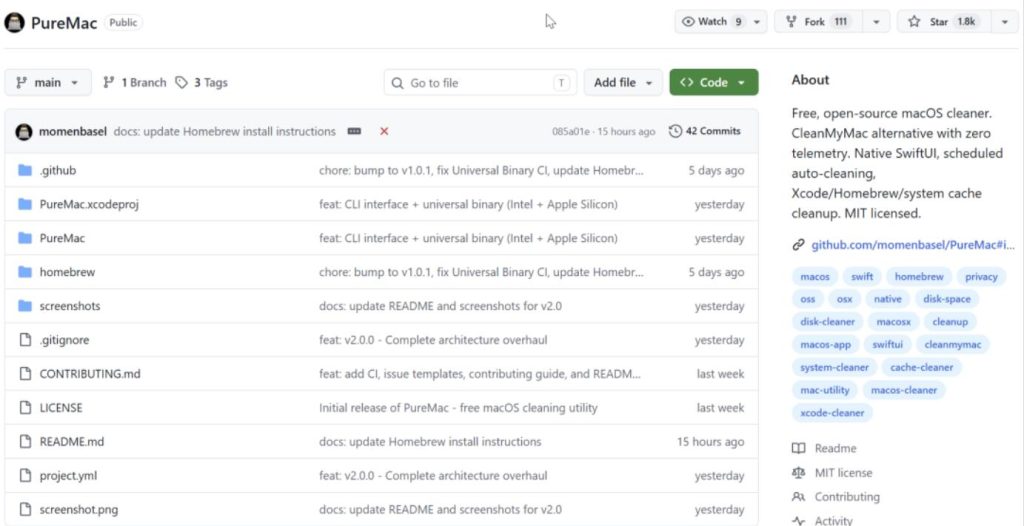
Recently, a new project on GitHub specifically addresses this problem. PureMac, a free and open-source macOS app manager and system cleaning tool, is the zero-telemetry alternative to CleanMyMac. It currently has 1.8K Stars, is under the MIT license, completely free, and written in Swift and native SwiftUI. It supports macOS 13.0 and above, working on both Intel and Apple Silicon.
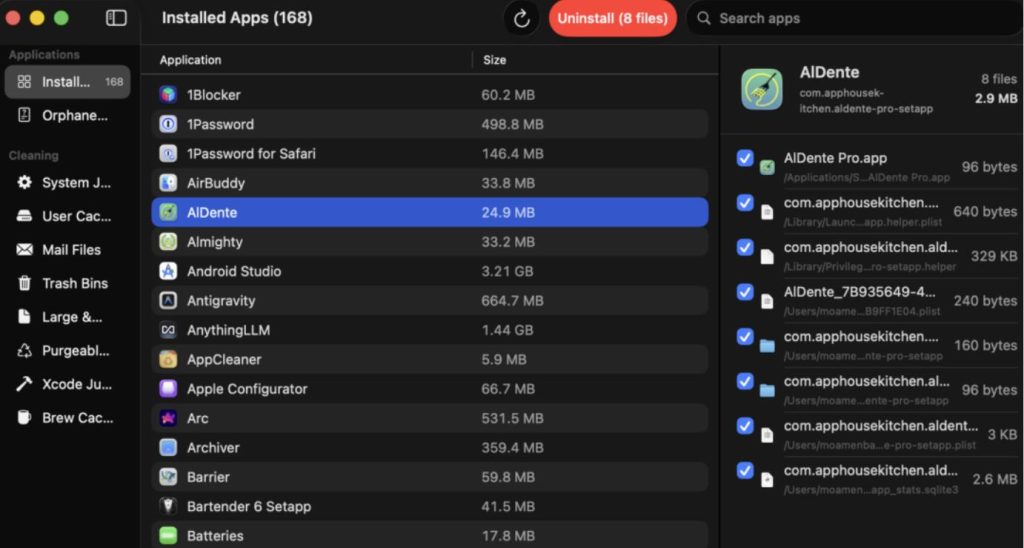
PureMac’s core functionality consists of three modules: App Uninstaller, Orphan File Detection, and System Cleaner.
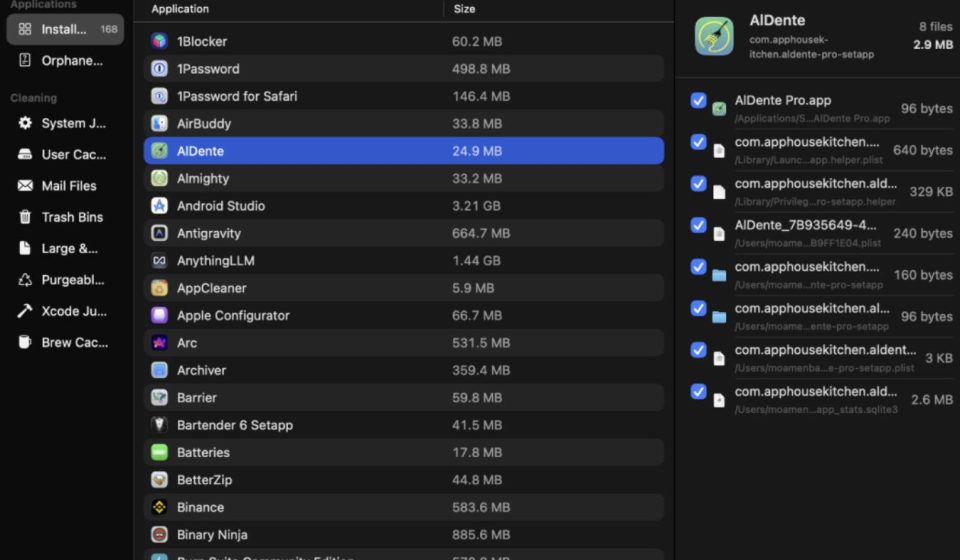
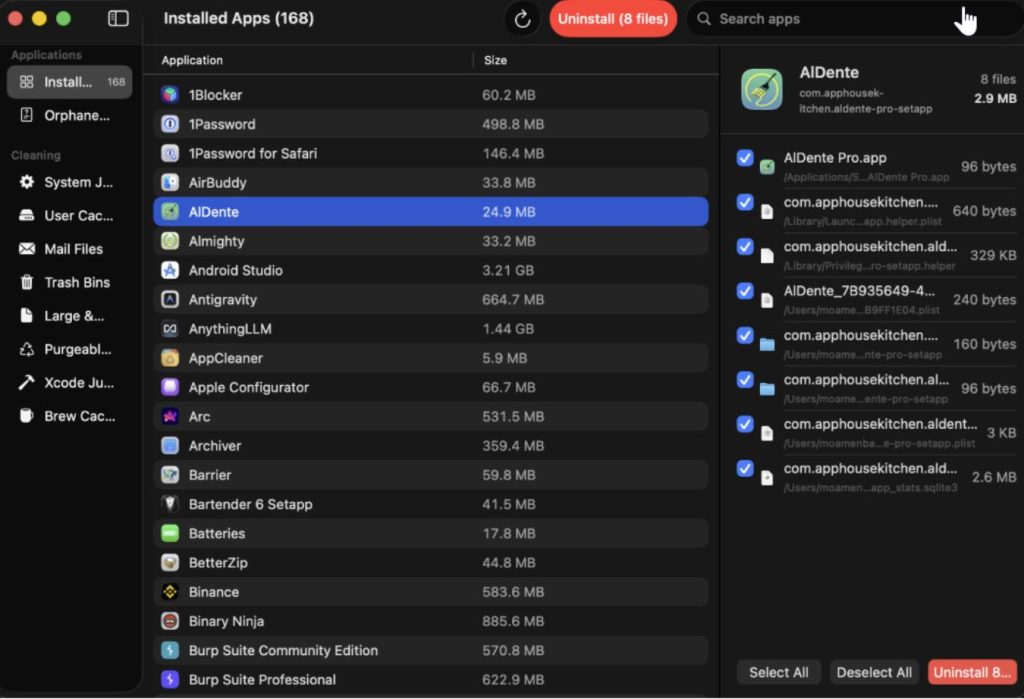
App Uninstaller is its most impressive part. Previously, to uninstall an app, you basically dragged it to the Trash. But an app leaves much more on a Mac than just the .appfile itself—cache, preferences, containers, logs, support files, launch agents, scattered in various corners of the Library. PureMac uses a 10-level heuristic matching engine. Through multiple dimensions like bundle ID, company name, entitlements, team identifier, Spotlight metadata, and container information, it digs up all related files. You can choose from three sensitivity levels: Strict (safe), Enhanced (balanced), and Deep (thorough). It also automatically protects system apps, with 27 Apple applications excluded from the uninstall list to prevent major issues from accidental deletion.
Orphan File Detection is very practical. You’ve probably uninstalled many apps before, but those leftover files are still sitting in the Library. PureMac compares Library contents with identifiers of all installed apps, finds orphan files, and cleans them with one click.
System Cleaner covers 8 categories: System Cache, User Cache, Mail Attachments, Trash, Large & Old Files, APFS Purgeable Space, Xcode Junk, and Homebrew Cache. For developers, Xcode and Homebrew accumulate a lot of cache files over time. DerivedData, Archives, Simulator Cache, brew download cache—these are all storage hogs. PureMac can handle them with one click.
How it Differs from CleanMyMac:
- No Personal Data Theft, No Subscription Fee: This is the biggest difference. CleanMyMac costs $39.95 a year and reportedly collects telemetry data. PureMac is completely free, MIT licensed, open source, and can be scrutinized.
- Considers Developer Use Cases: It has one-click optimization tools for regular users and specifically considers developer scenarios. It can accurately find and cleanly delete Xcode’s DerivedData and Homebrew’s cache.
- SwiftUI Development, Native Experience: Written purely in SwiftUI, not as clunky as Electron. It automatically follows the system’s light/dark mode, with no custom gradients, glows, or web app styles, consistent with the native macOS experience.
- Solid Security Mechanisms: Confirmation dialogs before all destructive operations. Paths are parsed and validated before deletion to prevent symlink attacks. Large files are not automatically selected; you need to manually confirm. All operations have structured logs viewable in Console.app.
How to Use PureMac:
There are two main ways.
- Install via Homebrew: bashbash
brew tap momenbasel/tap brew install --cask puremacThe first time, you’ll need to grant Full Disk Access permission, or some cleaning categories won’t work. - Download the Installer Directly: Download the
.dmgfrom GitHub Releases. It’s already signed and notarized, so there should be no Gatekeeper warnings. Two commands, and PureMac can run directly.
Notes:
- It only supports macOS 13.0 and above; users on older systems can’t use it.
- Requires Full Disk Access permission, guided on first launch.
- The Large & Old Files category does not auto-select files; you need to manually confirm. This is a safety design to prevent accidental deletion.
Final Thoughts:
The direction of macOS cleaning tools isn’t new. From early AppCleaner to CleanMyMac X, the need to “keep Mac clean” has been discussed for a long time. But most previous solutions couldn’t avoid two problems: reliance on a subscription model (tens of dollars a year) and reliance on telemetry data, failing the privacy test. PureMac offers a new free choice for users in an open-source way. From a feature perspective, it doesn’t have CleanMyMac’s performance monitoring or malware detection. But if you just want to clean up storage and delete leftover files when uninstalling apps, it’s sufficient.
Open Source Address: https://github.com/momenbasel/PureMac