An AI File Organizer That Runs Locally: Can Auto-Recognize File Content, Intelligently Categorize, Rename, Supports Image Vision Analysis & Document Content Parsing
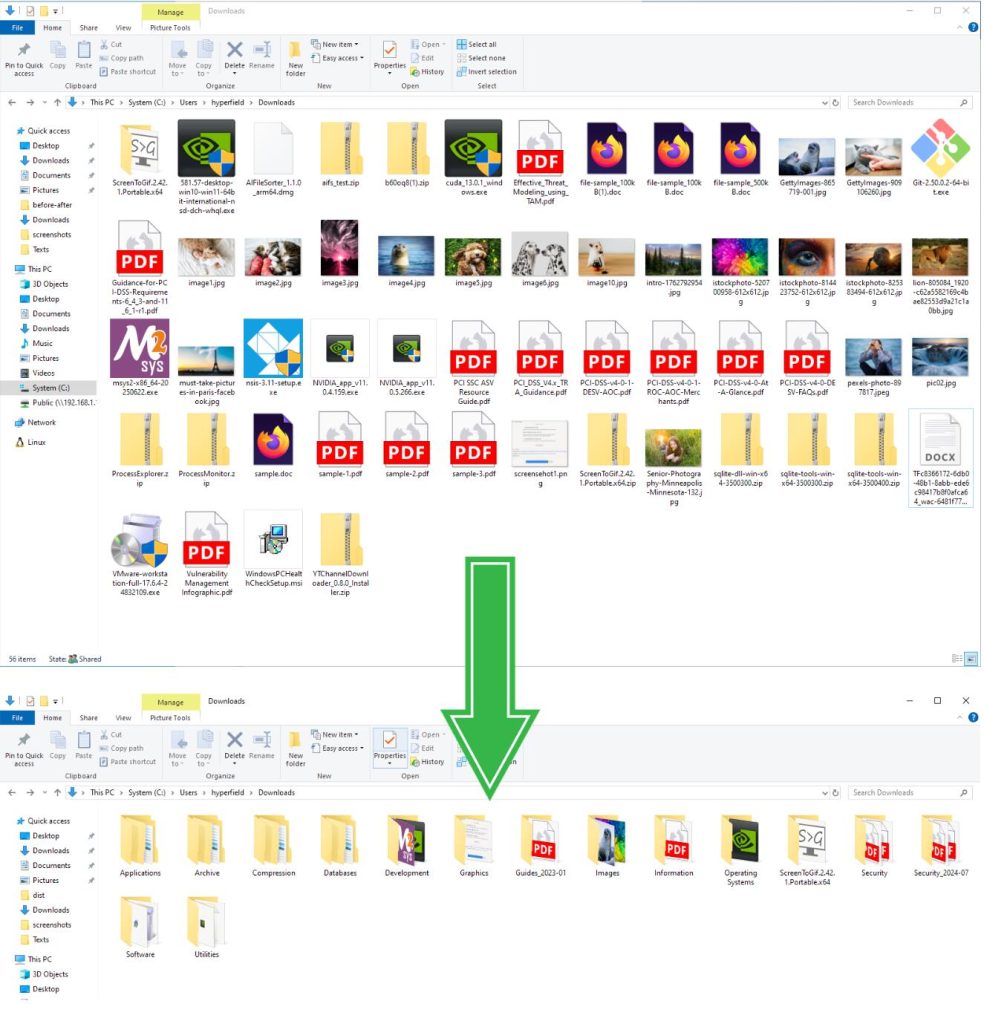
ai-file-sorter is a cross-platform desktop tool written in C++. It calls local or remote large language models to automatically categorize files, rename them, and organize folders. All analysis runs locally, so privacy is not a concern.
GitHub Address: https://github.com/hyperfield/ai-file-sorter
Project Core Features: It does essentially three things: look at file content, guess where it belongs, and give it a good name.
- Images: It understands them. Throw in an
IMG_2048.jpg, and the vision model will analyze the scene—whether it’s a lake or a cat—and suggest a rename likeclouds_over_lake.jpg. - Documents: It reads them thoroughly. Extracts text from PDFs, Word docs, Excel files, has the model summarize the content, and suggests names like
2024_Q1_Financial_Report.pdf. - Audio/Video: Doesn’t skip them. Reads ID3 tags, album info from MP3s, FLACs, and converts them to standardized names like
2024_artist_album_title.mp3.
Flexible Categorization: Two modes to switch between: “More Granular” for messy folders where the model can be creative; “More Consistent” for batch organizing, where similar files are grouped under the same category. You can also create a whitelist, e.g., only allowing categories like “Work/Personal/Travel”, so the model doesn’t stray.
Privacy is solid: Runs models like Gemma 3 4B, Mistral 7B locally. No internet required, no API keys needed. Images, filenames, and document content all stay on your machine. You canconnect to ChatGPT or Gemini if you want, but you must provide your own key, and it only uses the network during the analysis phase.
Other handy features:
- Preview changes before confirming execution.
- Supports persistent undo; you can reverse the last action even after closing and reopening the software.
- Interface is built with Qt6, supporting over a dozen languages including Simplified Chinese.
- Has a caching mechanism, making repeated runs on the same folder much faster.
- Can “learn” from your confirmed categorization results, making it more accurate for similar files in the future.
Who is it for?
- People whose download folder is perpetually full, with screenshots piling up.
- Designers, photographers needing to archive assets by content/theme.
- Those with high privacy requirements, unwilling to send files to cloud services.
- Anyone tired of manually creating folders and wanting to batch organize historical files.