
Someone’s Using This to Replace Claude Code
6,200+ Stars—This Project Is Insane.
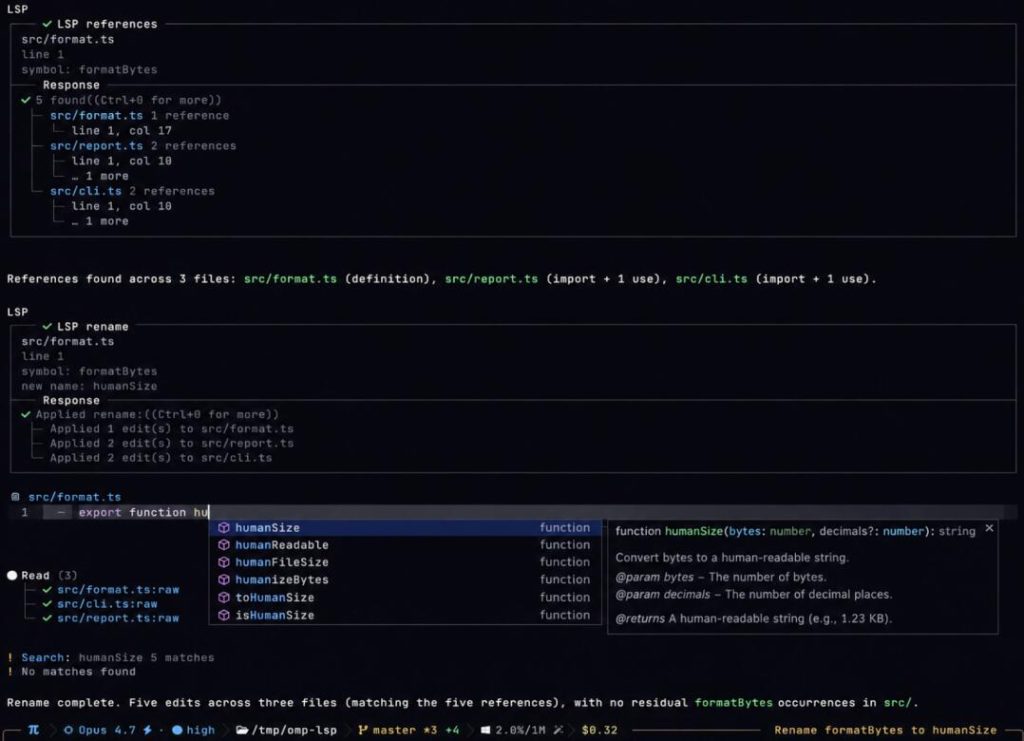
I’ve seen people in the community starting to use this to replace Claude Code. What kind of god-tier tool dares to challenge Claude Code? It’s called oh-my-pi. No need to switch to VS Code; you can write code, refactor, debug, and get completions—all within your terminal.
Some might say, “Claude Code is already amazing, why bother with oh-my-pi?” I’ve summarized 3 points for your reference:
01 More Model Options
Both tools cost money via API calls, but oh-my-pi supports a wider selection of models, giving you more flexibility on cost. I know what you’re thinking: “Claude Code canconnect to other models.” Yes, but it requires some tinkering.
02 Lower Overhead
oh-my-pi’s system prompts consume only 200 tokens. Claude Code starts with 10,000 tokens right out of the gate. For the same coding task, oh-my-pi is significantly cheaper.
03 Full Transparency
This is my biggest takeaway from using Claude Code. It feels like a black box—you don’t know the process behind its actions. oh-my-pi doesn’t play that game. Everything is visible: which API was called, which files were changed, how much it cost. It brings IDE capabilities into the terminal.
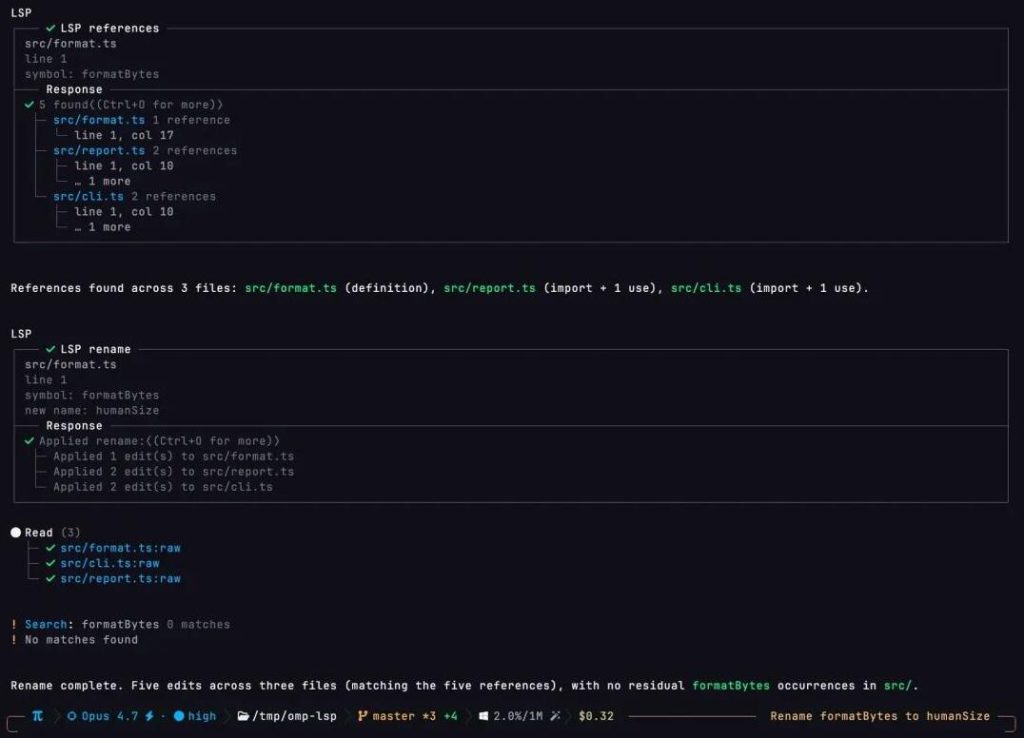
01 LSP Integrated into the Terminal
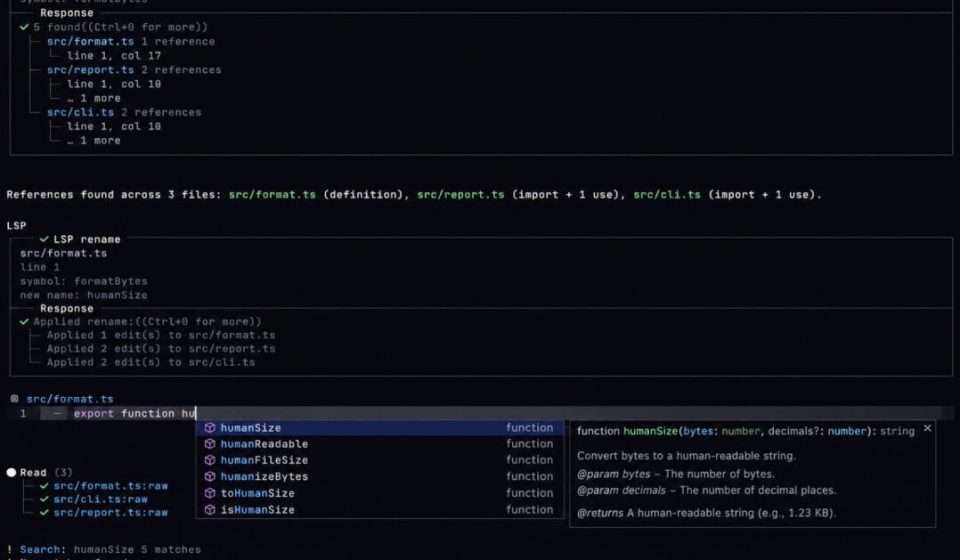
Tasks like error checking, jump-to-definition, finding references, and renaming—I used to have to switch back to an IDE for these. Not anymore. You can do it all directly in the terminal now.
02 Code Debugging Capabilities
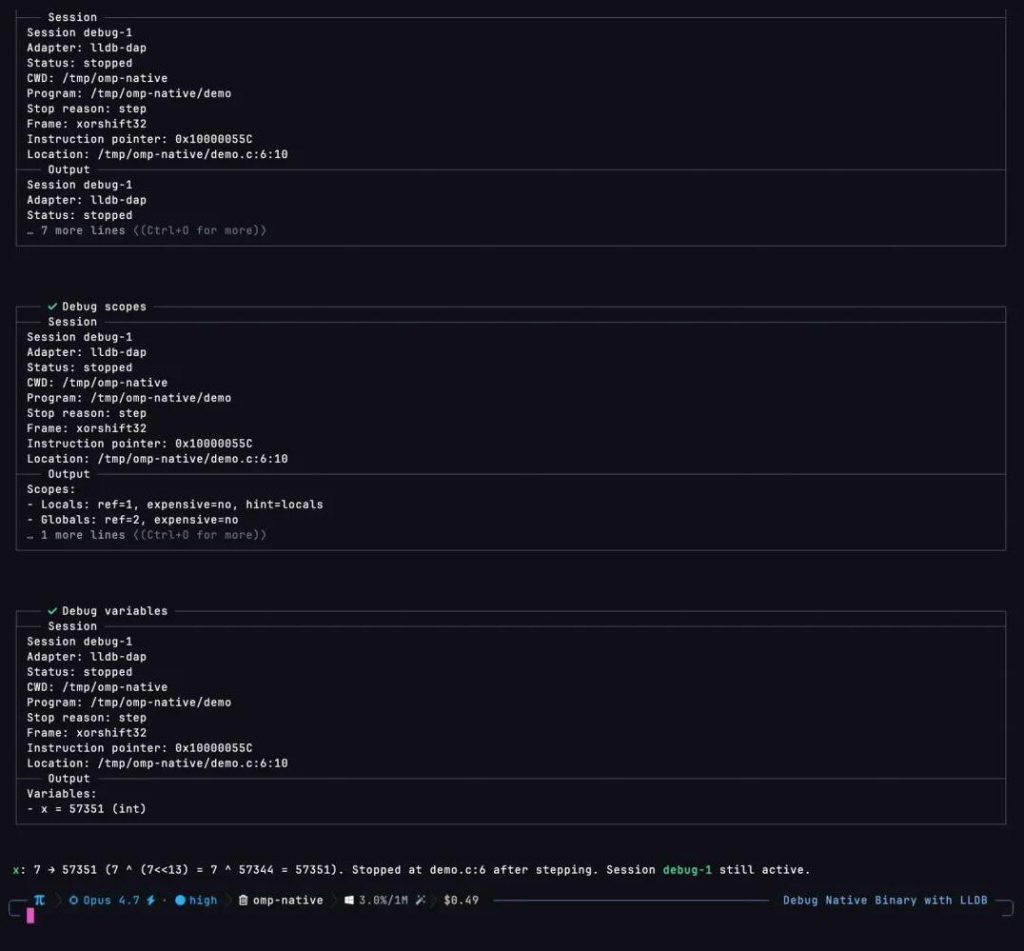
Debugging is a high-frequency task for me. Debuggers like lldb, dlv, and debugpy integrate smoothly. Whether it’s setting breakpoints, stepping through code, or inspecting variables, the AI can assist, guiding you through the entire debugging process.
03 Persistent Python Environment
It has a built-in, long-running Python execution environment—essentially an IPython kernel. You can chat with the AI while having it run Python code, and the environment persists. Variables defined and libraries imported in the previous round don’t vanish; you can pick up right where you left off. Python can even call the AI’s tools (reading files, searching code, spawning subtasks) in reverse.
04 Concurrent Multi-Tasking
For large tasks, it breaks them down and delegates them to different sub-agents. Each works in an isolated environment, and once all sub-agents finish, the results are merged. This is incredibly useful for large projects and complex refactoring.
05 Lower Resource Usage
High-frequency operations like ripgrep, glob, and shellare executed internally, avoiding the overhead of spawning external processes. The result is a faster terminal with lower resource consumption.
06 40+ Providers Supported
No matter which model you use, there’s likely support. OpenAI, Anthropic, Gemini—check. Local models via Ollama, LM Studio—also check. GLM-5, DeepSeek, Qwen—all supported.
07 Multi-Model Routing
Project planning goes to GLM-5, coding goes to Qwen. In my experience, splitting tasks like this yields better results than using one model for everything.
08 Real Browser & Electron App Control
This is rare for terminal tools. oh-my-pi can drive real browsers and Electron apps. It uses incognito mode by default, rendering pages normally without detection. It can even drive Electron apps like Slack; reading messages via the Slack agent feels just like reading a webpage.
The Killer Feature: Line-Level Hashing
This deserves its own section. I remember telling AI to modify code, only for it to fail because the line numbers were wrong. Maybe I inserted a few lines, shifting positions, or maybe a copied snippet had a subtle whitespace difference.
oh-my-pi offers a different approach: it gives every line of code its own unique “ID card”—a hash calculated from the line’s content.
When AI needs to modify code, it stops referring to line numbers. Instead, it tells you to change the line with hash xxx.
Example:
Suppose you have this line:
function add(a, b) {
oh-my-pi generates a hash for it, like x7y8z9w0.
- Traditional Way: AI says, “Change
function addon line 1 tofunction sum.” Problem:Insert a few lines above, and line 1 is no longer theaddfunction. - oh-my-pi Way: It ignores line numbers and identifies the code itself. AI says, “Change the line with hash
x7y8z9w0.” Benefit:No matter how many lines you insert, as long as that line exists, it finds it accurately.
This seemingly small optimization makes the experience vastly smoother.
Getting Started
Many of you are probably eager to try this. Installation is one command for both Windows and macOS.
- Windows: Open PowerShell and run: powershellpowershell
irm https://omp.sh/install.ps1 | iex - macOS / Linux: Open your terminal and run: bashbash
curl -fsSL https://omp.sh/install | sh
After installation, simply type piin your terminal, configure your model and API key as prompted, and you’re ready to go.
Final Thoughts
Some might say, “Great, another new tool. Keeping up with the pace is exhausting. Where do I even start?”
My advice: Try both. Use Claude Code for complex refactoring and optimization. Use oh-my-pi with domestic models for daily coding tasks. The goal is professionalism plus cost savings. Since oh-my-pi is free and open-source, installing it costs nothing but a few minutes of your time.
Agree? The project is open-source under the MIT license.
Source Address: https://github.com/can1357/oh-my-pi