This is the Right Way for AI to Make PowerPoint Presentations
Gamma has reached 70 million users, and Microsoft is forcefully integrating Copilot into PowerPoint… the field of AI-generated presentations is already fiercely competitive. You input some text, and in dozens of seconds, a set of slides is produced, looking quite impressive. Then you click export, open the PPTX file. Open the PPTX file—fonts are replaced, charts are misaligned, formatting is completely messed up. Fixing one slide breaks another; in the end, you still have to adjust everything manually. Essentially, the exported file is a semi-finished product that you can’t edit or adjust properly. You can only go back and regenerate, praying the next version is a bit better. But each generation has a different style; editing one version loses another, and you end up opening PowerPoint to do it manually anyway.
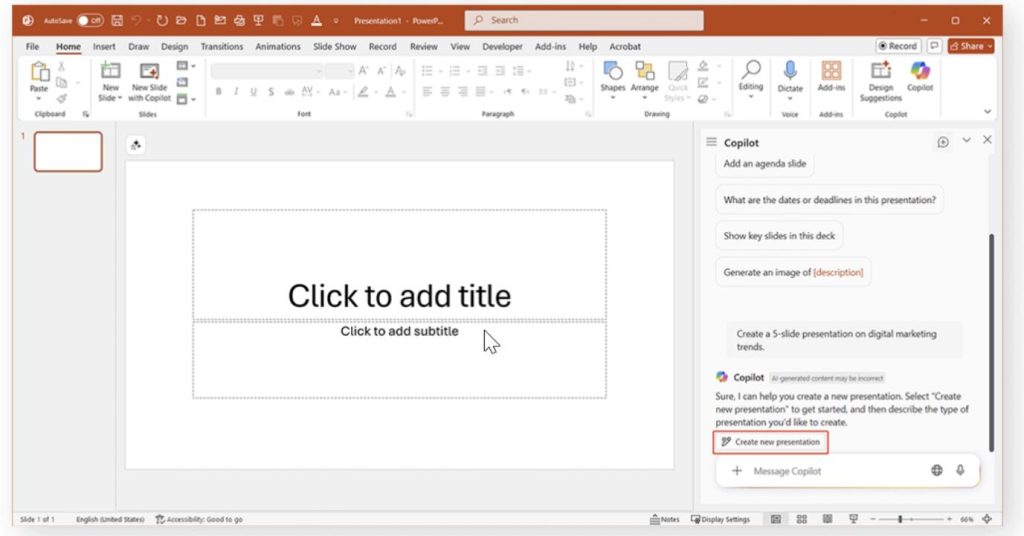
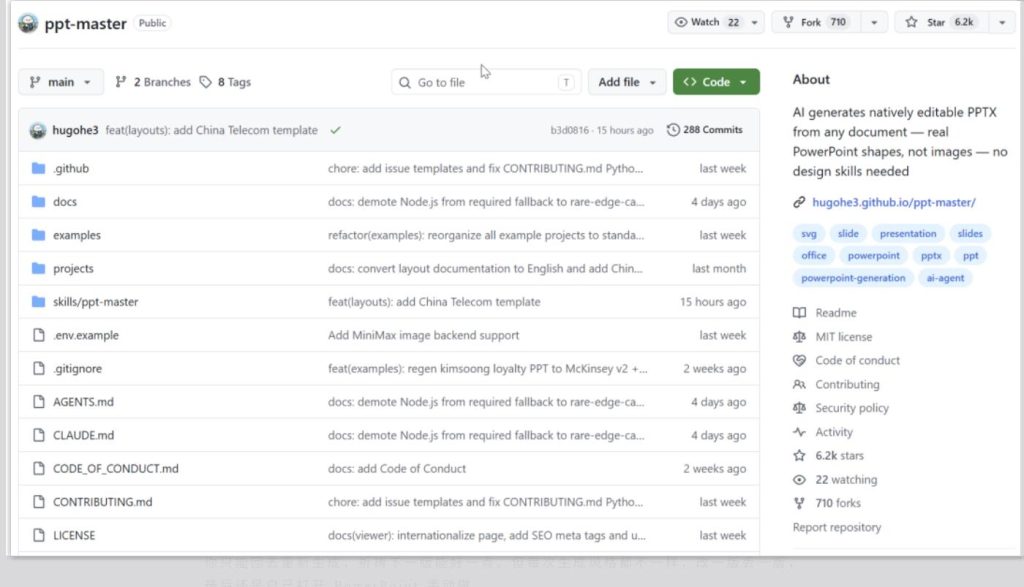
What’s even more frustrating is that some tools charge for exporting, starting at $8 per month. Your files also have to be uploaded to their servers—forget about privacy. Recently, an open-source project called PPT Master has quietly gained popularity on GitHub. In 4 months, 6200+ Stars, with 1500 added in just the past week. What it does is simple: it outputs real, editable PPTX files, not images. Essentially, most existing AI PPT tools output images or web screenshots. They look nice, but in PowerPoint, you can’t click or edit a single element. The PPTX exported by Gamma has shifted charts, replaced fonts, and missing animations. Beautiful.ai has decent export quality, but non-English support is weak. Microsoft’s own Copilot is natively integrated, but the cost of an M365 subscription plus Copilot isn’t small.
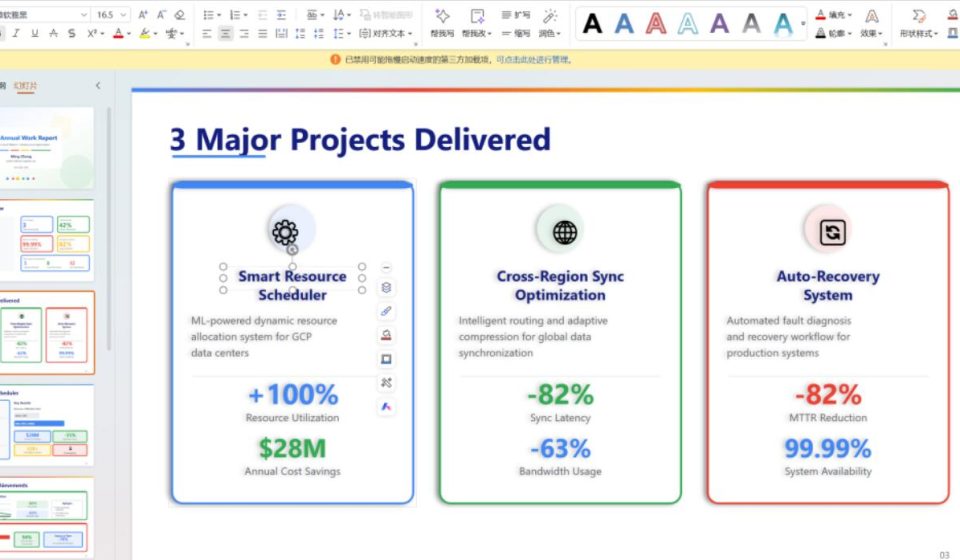
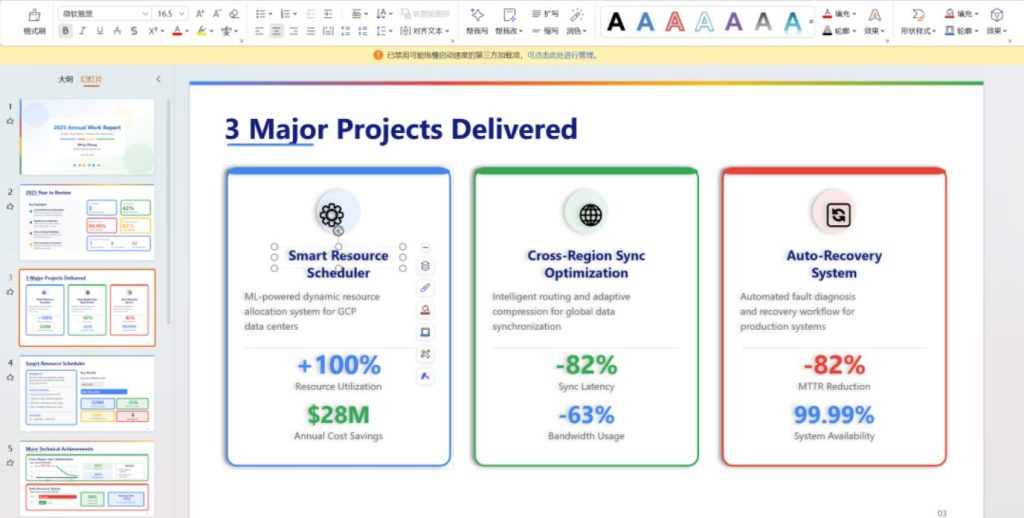
PPT Master takes a completely different approach. First, it uses AI to generate SVG, then through its self-developed conversion engine, translates SVG element by element into DrawingML—PowerPoint’s underlying vector format. Text boxes, gradients, shadows, glow effects, arrow markers, image crop paths—all converted natively. Starting from version v2.3.0, native DrawingML export is the default option. Open it in PowerPoint, click any text box—it’s editable, draggable, and you can change its color. It’s as if you drew each element yourself. It thoughtfully outputs two files: a native shape .pptxfor editing, and a _svg.pptxsnapshot version for visual reference. Both have timestamps, so you won’t mix them up.
Another headache is data must be uploaded. SaaS tools like Gamma and Beautiful.ai require your files to be uploaded to their servers for processing. For industries sensitive about data like finance, consulting, and government, this is a deal-breaker. PPT Master runs the entire process locally, except for the step communicating with the AI model. Your PDFs, DOCXs don’t need to be uploaded to any third-party server.
Then there’s the issue of price and lock-in. Gamma starts at $12/month, Beautiful.ai $12 to $40, and they lock you into their platforms. PPT Master is open-source under the MIT license; the tool itself is free. The only cost you need to pay is for the AI editor’s usage. If you use VS Code Copilot, it can cost as low as $0.08 to generate a full PPT. It also doesn’t lock you into a specific editor. Claude Code, Cursor, VS Code Copilot can all be used, and models like Claude, GPT, Gemini, Kimi are supported.
PPT Master doesn’t just throw a document at a large model. It designs a four-role collaborative workflow:
- Strategist: Analyzes content, plans slide structure, confirms visual style, and produces a complete design specification.
- Executor: Generates SVG page by page according to the design spec.
- Image Generator: If images are needed, it calls your configured image generation backend (like DALL·E, Midjourney via API).
- Post-processing & Export: SVG is converted to native PPTX.
A notable detail: it enforces sequential page generation, not parallel. It sounds slower, but this ensures cross-page visual consistency—colors, font sizes, spacing won’t suddenly change when flipping pages.
The project provides 15 case studies covering consulting style, general style, and creative style, totaling 229 pages, all viewable online. A favorite is a pixel-retro-game-style Git introduction PPT. The colors use neon green, cyber pink, electric blue on a deep-space black background. The exported .pptxfile allows direct editing of every element. There’s also a McKinsey-style customer loyalty analysis, Google-branded annual report, Zen ink-wash-style Diamond Sutra study… The style range is wide, but the output PPTX files are natively editable.
If you have an existing PDF or DOCX, just place it in the projects/directory. If you have a company template, it automatically extracts the background, logo, theme colors, and fonts, generating the PPT based on that template, ensuring the exported style is completely consistent.
More details: PPT Master also includes 20 layout templates, 52 visualization templates, 6700+ vector icons, and supports 12 image generation backends (Gemini, OpenAI, Qwen, Zhipu AI, Volcano Engine, etc.). Each backend uses its own API key, not mixed globally.
Note: Windows compatibility is still being polished, with a dedicated installation guide. Also, you need API credits for the AI editor. While VS Code Copilot can cost as low as $0.08 for a whole deck, using Claude or GPT will be more expensive.
How to try it locally:
- Clone the repo:
git clone https://github.com/hugohe3/ppt-master.git - Install dependencies:
cd ppt-masterthenpip install -r requirements.txt(Requires Python 3.10+) - Configure API Keys: Set up your AI model API keys.
- Run: Open the project folder in VS Code, place your source file (PDF, DOCX) in the
projects/directory. In the AI editor’s chat panel, specify the file path:Please create a PPT from projects/my-doc/sources/report.pdf. The AI will confirm the design spec, and after your approval, it runs the entire process. The generated PPTX will be saved in theexports/directory.
Final thoughts: Previously, having AI make a PPT for you only gave you a bunch of uneditable screenshots. PPT Master takes a different route—using SVG to DrawingML conversion, making every output element a true PowerPoint shape, while moving the entire process locally, keeping data on your device. The author has a finance background—CPA, CPV, Investment Advisory Engineer, reviewing and editing hundreds of slides daily. The motivation for this project was direct: existing AI PPT tools export images, not editable shapes, which is unacceptable in professional settings. AI-generated presentations shouldn’t be an endpoint, but a starting point—you can continue to modify, adjust, and refine on top of it, just as if you made it yourself.
PPT Master is still rapidly iterating, and its ecosystem is still being built. But the direction is right—when AI makes a PPT, the output should be alive(editable), not dead(static). The project is open-source under the MIT license, allowing commercial use and modification. Interested readers can check the source code and documentation on GitHub.
Project Address: https://github.com/hugohe3/ppt-master